Get a Dozen Ad-Ready Cuts From One UGC Video
Re-cut a single UGC video into 12 ad-ready variants by changing hooks, length, and CTAs. Scale paid social faster this September 2026.


Re-shooting every time an ad tires out is slow and expensive, and by the time new footage lands your last winner is already stale. You don't need a new creator. You need to re-cut the UGC video you already have into a dozen ad ready variants. Same source clip, different hooks and sequences, and one submission seeds an entire round of paid tests in hours instead of weeks.
TLDR:
- Re-cutting one creator video into a dozen ad variants costs a fraction of a reshoot and lands in hours.
- Change one variable per cut (hook, sequence, CTA, length) so the auction reads each as a real test.
- Deliver 9:16 for TikTok and Reels, 1:1 or 4:5 for Feed, and burn in captions for muted placements.
- Verify usage rights before you edit, and clear content organically before it earns paid spend.
- Launchpoint connects organic UGC, tracking, paid ads, and creator pay in one system on a 20% usage fee.
What "Re-Cutting" a UGC Video for Paid Ads Actually Means
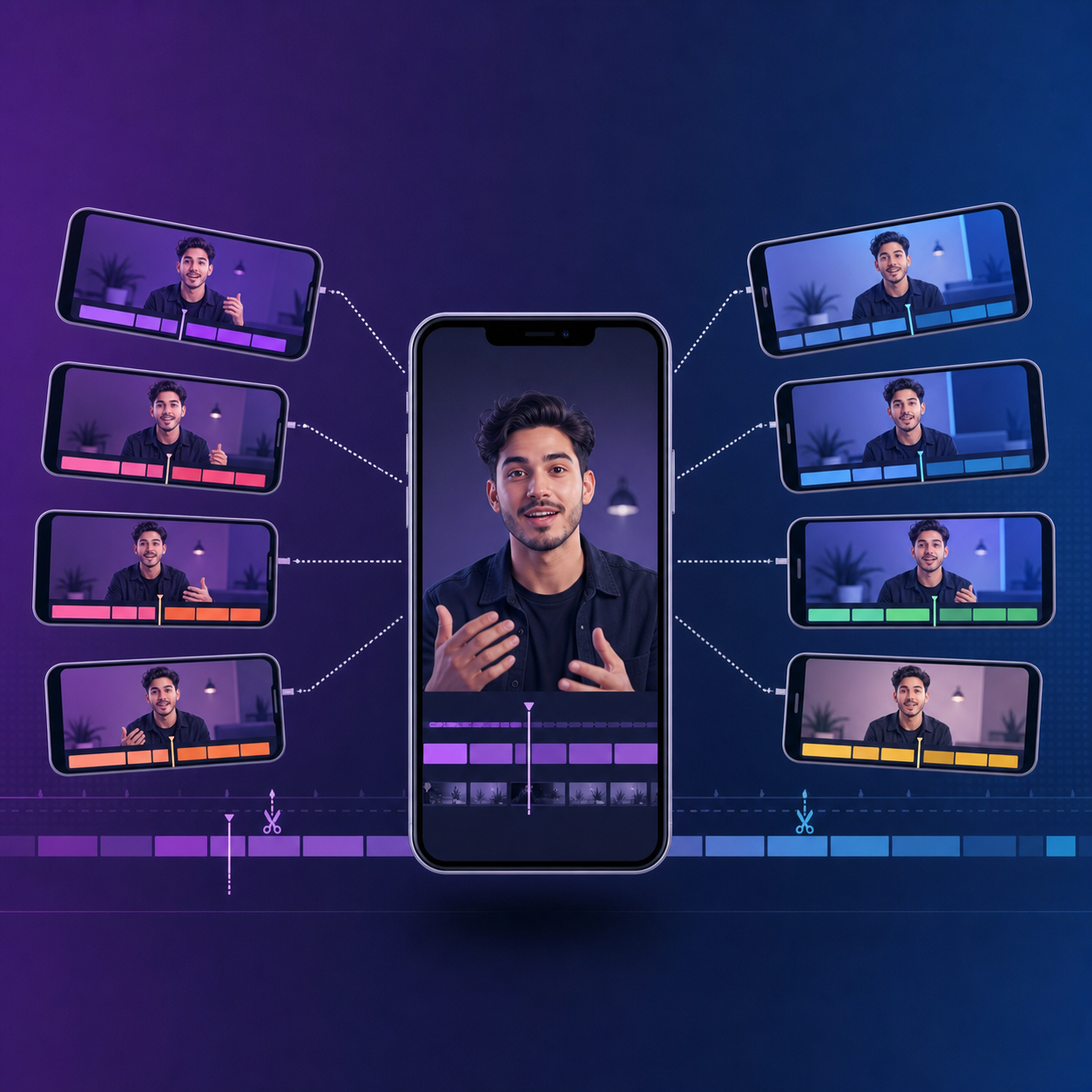
Re-cutting takes one piece of raw creator footage and edits it into several distinct ad variants instead of running the clip as a single ad. Same source material. You change the hook, sequence, length, caption, and call to action, ending with a dozen units that test differently in the auction.
Re-shooting commissions new content from scratch: new brief, new creator, new turnaround. Re-cutting works from footage you already own, so it costs a fraction of a shoot and lands in your ad account in hours.
That speed gap is why advertisers reach for the edit first. One submission seeds an entire round of paid tests, so budget goes toward angles, not repeat filming.
Why One Video Is Never Enough: The Creative Fatigue Problem
Run one ad long enough and the audience stops responding. That is creative fatigue: when people see the same creative often enough that engagement drops. If you are not watching the right signals, it can look like a targeting or budget problem when the real issue is the creative itself, per Modo25's paid social breakdown.
As frequency climbs, cost follows. Funnel frames ad fatigue as a budget problem: engagement drops and costs rise when audiences see the same creative too often.
One video hits that wall fast. A dozen cuts spread exposure across fresh hooks, resetting the clock before spend gets expensive.
Before You Cut: Auditing Your Source Footage and Usage Rights
Before you touch the timeline, confirm the footage can carry a dozen cuts. Re-cut-friendly source material shares a few traits:
- Multiple takes of the hook, so you can swap opening lines without reshooting.
- B-roll and product close-ups that break up talking-head segments.
- Varied angles and pacing, giving each variant a distinct rhythm.
- Clean audio that survives trimming and re-sequencing.
Then verify rights before you edit. A strong UGC content strategy locks the usage window, spend limits, and paid-ad permissions in the brief, not after the cut goes live. Confirming content rights protects the media spend.
The Anatomy of an Ad-Ready UGC Cut
Every strong UGC ad follows the same four-part spine, and once you know it, you can remix it across every variant:
- Hook: the opening line or visual that stops the scroll. The first few seconds carry outsized weight, which is why the first three seconds matter more than any other stretch of the cut.
- Problem or context: the moment the viewer recognizes their own situation.
- Product demonstration: the creator showing the product in use, beyond simply describing it.
- Call to action: the direct ask that tells the viewer what to do next.
Hold that template in your head. Every re-cut swaps one component while the spine stays intact.
Nine Ways to Re-Cut a Single Video
Each lever below changes one variable, so the auction reads it as a genuinely different test, not a cosmetic tweak.
Lever | What changes | What it tests |
|---|---|---|
Swap the hook | New opening line or visual | Which promise stops the scroll |
Reorder the sequence | Demo before problem, or vice versa | Whether proof or pain lands first |
Change the caption or on-screen text | New framing over the same footage | How much copy carries the click |
Add or cut b-roll | More or fewer product shots | Whether visuals or talking head convert |
Alter the CTA | Different ask at the close | Which action the viewer takes |
Adjust pacing and length | Tighter 15s vs. fuller 30s | Where attention holds |
Layer new music | Different track or trend sound | How tone changes response |
Isolate a testimonial | One strong line as its own cut | Whether social proof stands alone |
Reframe the problem | Same product, new audience pain | Which segment responds |
Nine levers, and most combine. A new hook over a re-sequenced cut with a fresh CTA is three tests in one file, which is how one submission becomes a dozen variants.
Editing for Native Formats Across TikTok, Instagram, and Meta
A cut that feels native on one placement can read as recycled on another. The fixes are mechanical:
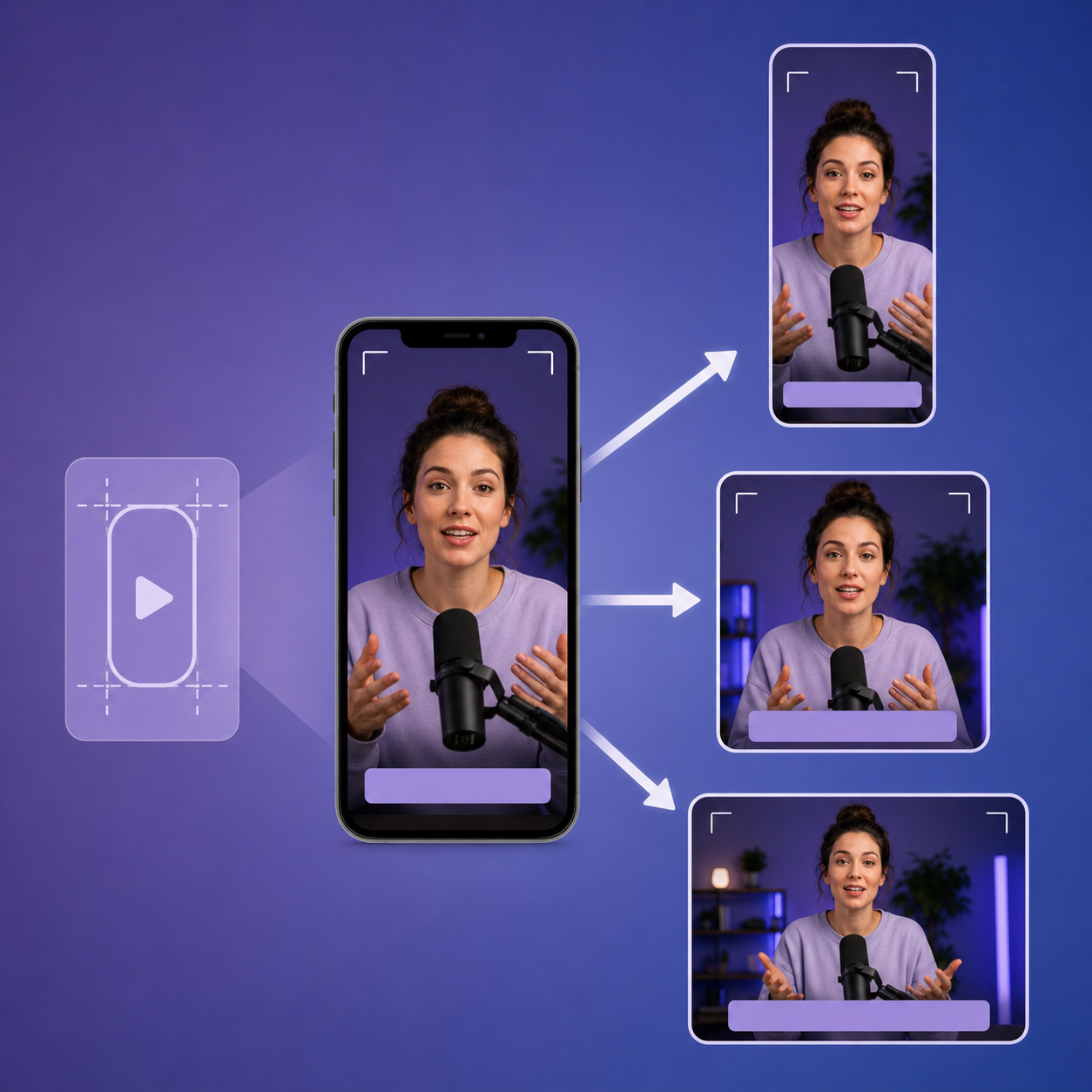
- Aspect ratio: keep 9:16 for TikTok, Reels, and Stories; deliver 1:1 or 4:5 for Feed.
- Safe zones: keep captions and CTAs clear of app UI, which sits in different corners on each app.
- Sound: TikTok plays sound-on by default, while Feed often runs muted, so burn in captions.
- Length: tighter cuts for TikTok, slightly fuller for Feed.
Reframe instead of paste. A TikTok cut dropped onto Reels with the wrong crop or a leftover watermark signals recycled content instantly.
Building a Creative Testing Matrix
A pile of cuts becomes a learning system only when each test isolates one variable. Run five hooks against the same body, same CTA, same length, and the winner tells you something. Change three things at once and the result is noise.
Name files so the variable is legible at a glance: productA_hook-demo_15s_ctaShop. When you read the report, the naming carries the diagnosis.
- Run three to five variants per variable before calling it, so one lucky impression batch doesn't decide.
- Watch hook retention to judge openings, cost per result to judge the full unit.
Kill the losers, then re-cut around the winning variable.
Running Creator Cuts as Paid Ads: Spark Ads vs. Partnership Ads
Once your cuts are edited, you pick how they run. Three mechanics cover most cases:
- TikTok Spark Ads: the creator authorizes their post through a code, so the ad runs from their handle with the organic post attached.
- Meta Partnership Ads: the creator grants permission to boost their branded content, keeping their identity on the ad.
- Standalone (dark) ads: you run the file directly from your ad account with no organic post behind it, trading the creator handle for full setup control.
Use Spark or Partnership Ads when the creator's identity carries social proof. Use dark ads when speed and control matter more.
Launching a Dozen Variants Without Doing It One by One
A dozen cuts means a dozen manual builds if you work ad by ad, and by the time the last one goes live the first is already stale.
Meta's native bulk editor cuts that down. It accepts an XLSX template under Ads Manager > Import & Export that creates campaigns, ad sets, and ads in one import, free with every ad account. One catch: actual video file uploads sit outside the spreadsheet, so you handle assets separately.
API-based bulk launchers close that gap, pushing creative and structure together so a full test round lands in one pass.
Common Mistakes That Waste Re-Cut Variants
A dozen cuts only pay off if each one earns its slot. The failures repeat:
- Cosmetic tweaks: a new filter over identical footage isn't a real test, so the auction learns nothing.
- Boosting before validating: influencer whitelisting before content proves organic pull spends paid CPMs on unproven creative.
- Lapsed rights: an expired usage window turns a live ad into a takedown risk.
- Over-editing: polish footage past the point it feels creator-made and you lose the authenticity that made UGC convert.
- Changing multiple variables at once: the winner becomes unreadable.
Rule of thumb: a cut earns paid spend when it clears organic first and isolates one variable worth scaling.
How Launchpoint Turns One Creator Video Into Scaled Paid Media
Re-cutting one video is the input. Turning those cuts into high-performing UGC ads without the manual grind is where we run the loop. Launchpoint is a managed creator-marketing engine connecting organic UGC, tracking, paid ads, and creator pay in one system, so winning content surfaces organically across 150,000+ tracked campaign posts before it graduates into paid spend.
We negotiate whitelisting and Boost Codes (Spark Ads on TikTok, Partnership Ads on Instagram) as a flat fee per video inside the brief, support bulk creative upload and bulk Meta ad launch, and pull ad status and creative-level performance into one view. Pricing runs on a documented 20% usage fee.
Across all campaigns to date, that loop has carried 150,000+ tracked campaign posts, 2 billion+ tracked post views, and 10 million+ paid-ad impressions from connected ad accounts.
Final Thoughts on Getting More Paid Ads From One UGC Video
Every cut earns its slot when it clears organic first and isolates one variable worth scaling. Swap hooks, reframe the problem, adjust the pacing, and you turn a single clip into a round of real tests instead of cosmetic tweaks. If you would rather hand off the editing and launch grind, set up a 30 minute chat.
FAQs
What's the cheapest way to get a dozen ad-ready UGC variants for paid ads?
Re-cut footage you already own. Re-shooting means a new brief, new creator, and new turnaround, while re-cutting one submission into a dozen variants costs a fraction of a shoot and lands in your ad account in hours because you're only changing the hook, sequence, length, caption, and CTA.
How do I launch a dozen creator videos as Meta ads without building each one by one?
Use a bulk workflow instead of manual builds. Meta's native bulk editor accepts an XLSX template under Ads Manager > Import & Export to create campaigns, ad sets, and ads in one import, though video files upload separately; API-based bulk launchers push creative and structure together so a full test round lands in one pass. Launchpoint supports bulk creative upload and bulk Meta ad launch, then pulls ad status and creative-level performance into one view.
TikTok Spark Ads vs. Meta Partnership Ads for running creator cuts as paid ads?
Both keep the creator's identity attached to the ad, but they run on different networks: TikTok Spark Ads use a creator's authorization code so the ad runs from their handle with the organic post attached, while Meta Partnership Ads grant permission to boost branded content on Meta. Use either when the creator's social proof carries the click, and use a standalone (dark) ad when speed and setup control matter more than the creator handle.
How do you fight creative fatigue in paid social with re-cut variants?
Spread exposure across fresh hooks before spend gets expensive. Running one ad long enough drives frequency up and cost with it, so a dozen cuts built from different hooks, sequences, and CTAs reset the clock and keep the auction reading each variant as a genuinely different test.
Can I run a re-cut variant as a paid ad before it proves itself organically?
You can, but it wastes paid CPMs on unproven creative. A cut earns paid spend once it clears organic pull first and isolates one variable worth scaling; boosting before validating spends against creative that hasn't shown it can hold attention.